Decide in the queue
Read the evidence behind a question and record an answer with one key. Use the answer's stated consequence to decide what the gate needs next.
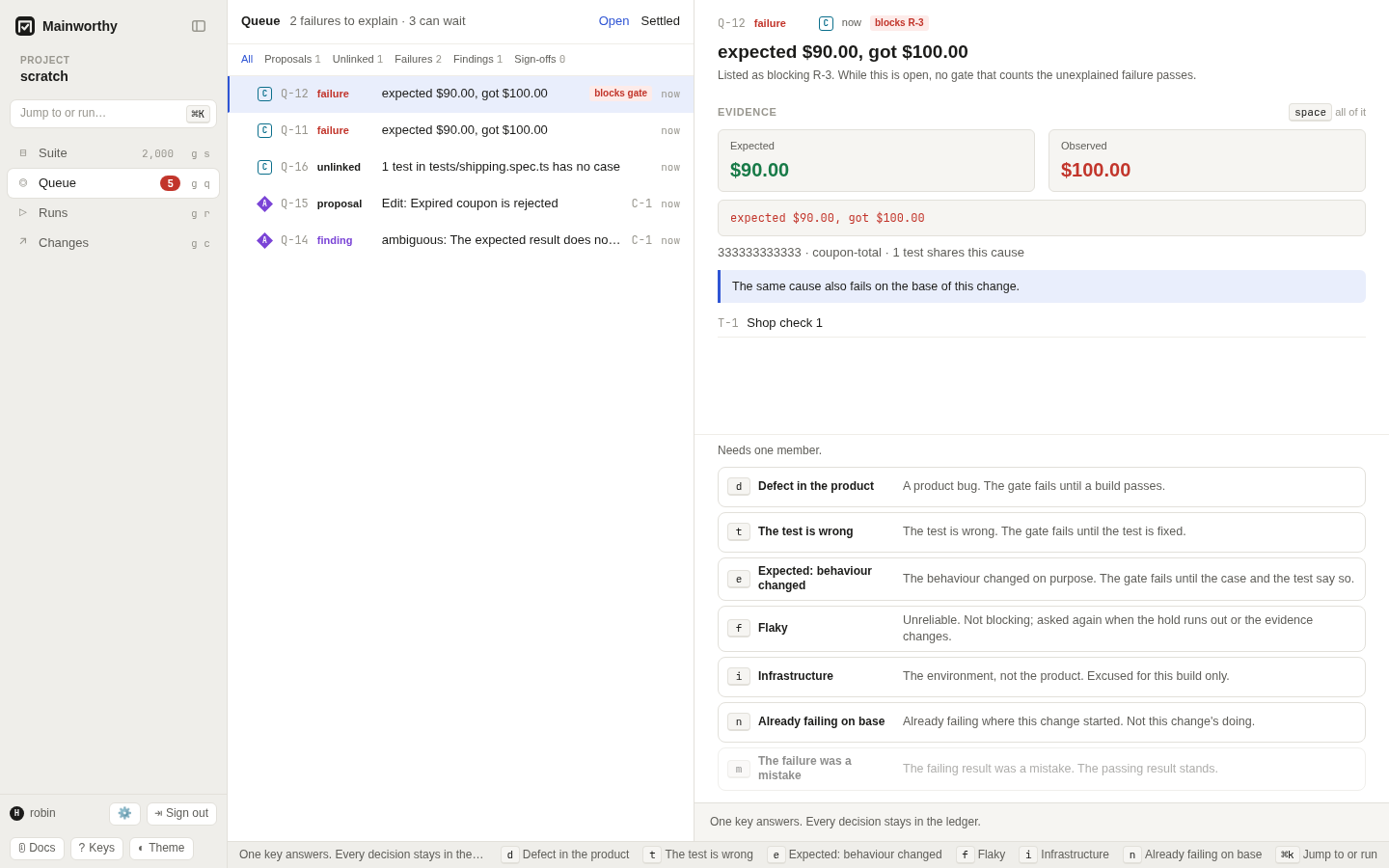
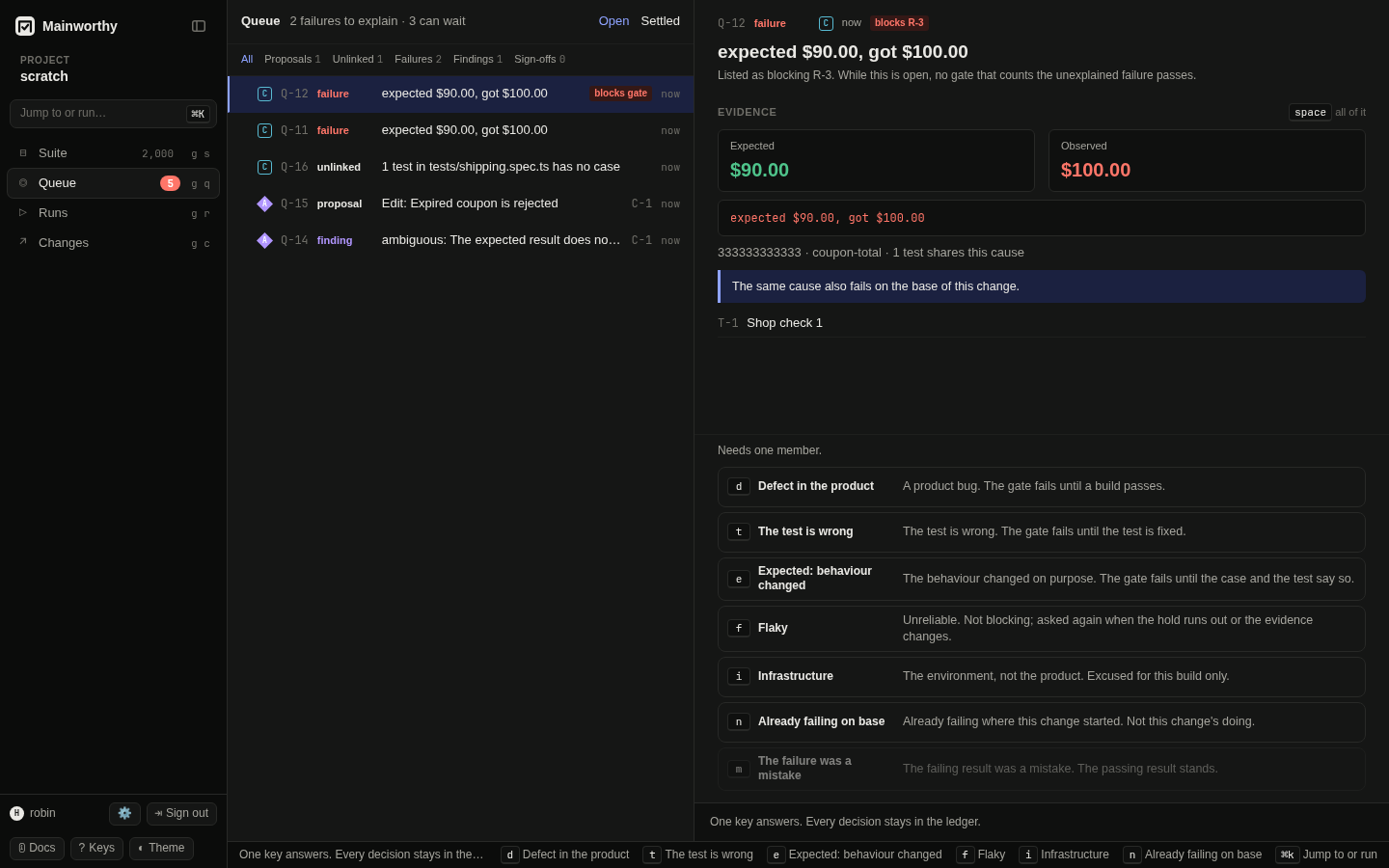
Find the question to answer #
- Press g q to open Queue.
- Select a question.
- Read its evidence and the text beside each available answer.
- Press the answer key.
Questions are listed with what blocks most first, then the newest first. A test with no case comes after every other question, however new it is: it is worth resolving, and nothing waits for it.
Use j and k to move between questions. Press Space to expand the evidence. The "Open" view contains questions that need an answer. "Settled" contains decisions. You can filter by "Proposals", "Unlinked", "Failures", "Findings", or "Sign-offs". See the keyboard guide for the full key list.
Know what needs you today #
The line beside "Queue" splits the open questions in two, for example "1 failure to explain · 104 can wait". Start with the failures. They are listed first, and the count beside Queue in the sidebar is red only while one is open.
A failure is the one kind of question that blocks anything. While nobody has explained a failure, no gate that counts it passes. An earlier occurrence of the same cause that someone answered for another build stays excused there. Every other kind leaves things as they are until someone answers: a proposed edit waits, a finding stays on record, and a test with no case still runs and still gates the build.
Under its title, each open question says what leaving it costs. For example:
- "Listed as blocking R-83. While this is open, no gate that counts the unexplained failure passes."
- "Blocks nothing. Left alone, these tests still run and still gate the build, and no case gets credit for them."
The runs a failure lists are the ones it was listed under as its results arrived. Open a run to read its gate as it is now: an older commit's run can pass again while a newer commit keeps the question open.
A failure stops blocking a gate in two ways. Someone answers the question. Or the failing result is replaced. A newer attempt of the same job that passes replaces it; an attempt that is skipped or blocked leaves the failure in place. A result that names the failing one as the result it corrects replaces it whatever its outcome: passed, skipped or blocked. A pass reported beside the failure replaces nothing. The two disagree, and a person settles that. A pull request's gate is the gate of its newest commit, so a newer commit that passes moves the pull request on. The older commit keeps the verdict it had.
A failure that only an agent reported, or one typed for a session, is counted by no commit's gate. It is still a failure to explain.
A question asks for a judgment about recorded evidence. It is not a test result. Several occurrences of the same failure cause can share one question. An assertion cause shared by more than 50 distinct tests across more than five files in one report gets a question per file. Each title starts with "Split by file" and names the file. Your answer covers that file's cause. Later reports keep that cause separate for a file already split, even when they contain fewer failures. Results without a reported file get a separate group when a cause splits. The guard counts reported files, so missing file names do not help reach the threshold.
Look for "blocks gate" and the runs named beside the question.
Choose an answer #
Only answers that apply to the current evidence are available. For example, "The failure was a mistake" applies to a disputed planned-run result. "Already failing on base" is available for a change, not a trunk failure.
A proposed edit (adopt) #
| Key | Answer | What it does |
|---|---|---|
| a | Accept | Makes this the current version. |
| r | Reject | Leaves the case as it is. The proposal stays in the history. |
| Merge | Adopts the version you put together from both sides. |
A test with no case (map) #
| Key | Answer | What it does |
|---|---|---|
| l | Link to a case | Results of this test count for the case from now on. |
| c | Create cases | Makes one case per test and links them. |
| t | Track without a case | Keeps them as tests without cases. They still gate the build. |
| Unlink | The test stops counting for its case. |
A failed result (failure) #
| Key | Answer | What it does |
|---|---|---|
| d | Defect in the product | A product bug. The gate fails until a build passes. |
| t | The test is wrong | The test is wrong. The gate fails until the test is fixed. |
| e | Expected: behaviour changed | The behaviour changed on purpose. The gate fails until the case and the test say so. |
| f | Flaky | Unreliable. Not blocking; asked again when the hold runs out or the evidence changes. |
| i | Infrastructure | The environment, not the product. Excused for this build only. |
| n | Already failing on base | Already failing where this change started. Not this change's doing. |
| m | The failure was a mistake | The failing result was a mistake. The passing result stands. |
A finding from a review (finding) #
| Key | Answer | What it does |
|---|---|---|
| a | Accept | Agree. A suggestion it carries becomes a proposed edit by its author. |
| r | Reject | Disagree. It is not raised again for this version. |
| d | Duplicate | Already covered by another finding. |
| z | Defer | Not now. It stays on record. |
Closing a run (signoff) #
| Key | Answer | What it does |
|---|---|---|
| a | Approve | Closes the run with the verdict it has now. |
| r | Reject | Leaves the run open. |
A key records the answer immediately unless the answer needs another field. "Link to a case" opens a case picker for each test. "Defect in the product" lets you enter an optional defect reference: Enter records the defect with it and Escape records the defect without one. If the policy requires a reason, enter it before submitting. The queue keeps unfinished reference and reason text on this device.
If evidence changes while you answer, Mainworthy refuses the stale answer. Read the new evidence before trying again. A decision names the evidence you saw.
Answer several questions at once #
Select the questions, then give one answer. It goes to every selected question in one request.
- Click the box at the start of a row, or press x on the question shown. Either adds the question to the selection, or takes it out. A click elsewhere on the row opens the question and keeps the selection.
- Shift and a click on a row select every row from the last one you selected or cleared to it.
- ⌘ or Ctrl and a click on a row does what a click on its box does.
- * selects every listed question of the selection's kind, or of the question shown when nothing is selected. Pressed again, it clears the selection.
- Esc clears the selection.
A selection is of one kind: one answer means the same thing to every question in it. A question you cannot settle is not selected, and neither is a row of another kind; the status line says why. Neither is a proposal, or a finding that suggests an edit: an answer to one counts only once its edits are on screen, and only the question shown has them there. Answer those one at a time. "Select all" takes the questions listed so far. Press "More questions" first to take the rest. A selection holds at most 500 questions, the most one answer sends; the status line says how many were left out.
The bar above the list counts the selection. The answers under the evidence are then the selection's, and the line above them says when the question shown is not one of them. An answer is offered only when every selected question takes it. "Link to a case" asks for a case for each test, so it is given to one question at a time. An answer that needs a defect reference or a reason asks once and gives the same text to all. While it asks, the selection cannot change: record the answer, or cancel it, first. Advice is about the question shown, so ↵ does not take it while a selection exists.
Each question gets its own decision. Press u to withdraw them all, as you would one. One that was refused, for example because its evidence changed while you were choosing, comes back to the list, and the others stay answered.
On a phone, open a question and select from Actions: "Select question", "Select all of this kind" and "Clear selection". The rows have no box there.
Review a proposal #
An adoption question asks whether a proposed edit becomes current. Read the proposed changes beside the existing case. "Accept" makes the proposal current. "Reject" leaves the case as it is and keeps the proposal in history. These choices do not by themselves excuse a test failure.
An edit conflict needs a merged body, rather than a plain acceptance. Resolve it in the case's conflict card. See write cases. The merged body is another proposal and still follows the adoption policy.
Give an unlinked test a home #
An unlinked-test question asks how to keep a test that has no case. A project asks it when its policy says "Ask in the queue" for tests with no case. Otherwise a rule tracks the tests or makes their cases, and you find its answers under "Settled". A rule leaves a file's question open in two cases: a person took the rule's answer back or answered against it, or, under standard with "Create a case for each test", an agent reported the tests and its new cases wait for a person. See policy.
"Link to a case" makes future results count for the chosen case.
"Create cases" creates one case per test and links each test to its case.
It works where the policy adopts your new case by rule: under loose, and for a person
under standard. Where a person must adopt a new case, under strict or for an agent
under standard, the answer is refused. Propose the cases, have them adopted, then
answer with "Link to a case".
"Track without a case" keeps the test without a case. The test still gates the build.
Tests that came with neither a file nor a class name are asked about together, as the file "(no file)". The question lists them like any other, and every answer acts on them.
To answer several files now, select them and give one answer. To give every file the same answer from now on, change the project's choice instead of answering each row. In Settings, Policy, choose "Track without a case" or "Create a case for each test" under "Tests with no case". The rule then answers every open question about a file at once.
A link holds for the tests it names. A test that turns up later in the same file is a new question, and the earlier links stay. "Track without a case" is about the file as it was: the file is asked about again when its tests with no case change.
These choices settle the mapping question. They do not turn a failed result into a pass. An already recorded result keeps its original basis. Link decisions affect later results. See report results.
Explain a failure #
Choose "Defect in the product" when the product needs a fix.
Choose "The test is wrong" when the test needs a fix.
Choose "Expected: behaviour changed" when the intended behavior changed.
All three attribute the failure to the target and make its gate failed.
An expected change still needs the case and test to agree with that change.
These answers carry to later occurrences of the same cause in the same scope while their basis holds. They have no fixed expiry date. Withdraw or replace the answer when the judgment no longer applies.
Choose "Flaky" for an unreliable failure. The outcome stays recorded but is excused. With the supplied presets, that answer carries for 14 days or until its basis changes. When the hold ends, Mainworthy asks again if the failure still needs a decision. The project can change the number of days. See policy.
Choose "Infrastructure" for a failure in the environment. It excuses the build you are answering about, including its specific environment, rather than later commits or another environment of that commit.
Choose "Already failing on base" when the same cause already failed where the change started. It excuses this target only. The next commit is judged separately. The evidence can show a hint that the same cause fails on the base.
For a disputed slot, "The failure was a mistake" excuses the named failing results so the passing result can stand. It does not excuse a new failure reported later. See runs.
An excuse removes that failure's block. The gate passes only if nothing else prevents it. Missing results, other failures, and disputes still need attention.
Judge a finding #
A finding asks whether you agree with an observation, often from an agent. "Accept" agrees with it. In the web queue, a suggestion it carries becomes a proposed edit by the finder. That edit follows the normal adoption policy. "Reject" records disagreement. "Duplicate" records that another finding covers it. "Defer" records that you are leaving it for later.
These answers stay with the finding's recorded basis. They do not convert a review into a runtime pass or directly change a commit's gate. A review's completion record is separate: a new commit under the same pull request needs another review, even if the case text is unchanged. See agents for the distinction between reviews and test results.
Close a completed run #
A sign-off question asks whether to close a planned run that passes.
"Approve" closes it with its current verdict. "Reject" leaves it open.
Approval is refused if the run no longer passes when the answer arrives.
Under loose and standard, a recorded rule normally approves a passed run.
Under strict, a person supplies the answer and a reason.
See runs.
Undo or withdraw an answer #
Press u to withdraw your latest answer, or open "Settled", select a decision, and use its withdrawal button. Your authority still depends on the current policy. The original decision and its withdrawal both stay in the record.
Undo names the decision returned by your answer. If somebody replaced it meanwhile, the withdrawal conflicts and their decision stays. The withdrawal button in "Settled" names the decision shown there. Read the question again before withdrawing a replacement. For several answers, undo withdraws each decision separately. A refused answer is not withdrawn, and a failed withdrawal does not stop the others. The message names the failures; pressing u again retries only those, with the same decision ids and command ids. If the server took a withdrawal but its reply was lost, the retry reads its recorded reply. If somebody already withdrew the decision, the queue reads the question again and says it is already open.
API and command-line callers can send {"undo":"Q-12","ifDecision":31}. The server
compares ifDecision inside the transaction that withdraws the decision. Without it,
undo deliberately withdraws whichever decision currently stands, subject to the current
policy. Use the receipt's decision id when taking back a specific answer. Advice is
not a decision receipt, and undo does not withdraw advice on an open question.
Withdrawing an excuse recomputes gates that depended on it. A failure can become unexplained again. Withdrawing a link removes that decision's link unless a newer link has replaced it. Withdrawing an approval reopens its run.
An adopted proposal cannot be withdrawn. Restore earlier case content as a new version instead. See write cases. Withdrawing an older decision does not undo standing work made by a newer decision.
Check who may answer #
The question says whom it needs. Your token's capabilities and the project's policy both matter. An agent's answer can count, remain advice, or be refused. A pipeline cannot answer. Some failure decisions require a person who did not produce the evidence. Read policy before changing those rules.